
How to Create a Missionary Donation Page in 5 Minutes

Vlad Radchenko · Co-founder, Sowfund · 6 min read | May 13, 2026
If you're a missionary preparing to raise support, one of the first practical steps is getting a donation page live — somewhere you can send people when they ask how to give.
The good news: it doesn't have to take days, require a web designer, or cost you anything. With the right platform, your donation page can be live in under five minutes. Here's exactly how to do it.
Why Your Donation Page Matters More Than You Think
When you share your calling with someone — at church, over coffee, in a support letter — the moment they feel moved to give, you need somewhere to send them. If that moment passes without an easy next step, many of them simply won't follow through. A clean, shareable donation page is the bridge between someone wanting to support you and actually doing it.
It also signals credibility. A professional page with your photo, your story, and a clear giving option tells supporters that you're serious, organized, and worth backing for the long haul.
The Platform: Why Sowfund
Not all donation pages are created equal. For missionaries specifically, the platform you use matters because of one thing most people overlook: tax-deductibility.
Sowfund is a registered 501(c)(3) nonprofit. When donors give through your Sowfund page, their donation is tax-deductible — something platforms like GoFundMe, Venmo, or even GiveSendGo can't offer. For supporters who give regularly or in larger amounts, that deduction makes a real difference in how much they're willing to give.
It's also completely free for missionaries. No subscription, no setup cost, no card details required. Sowfund takes a 5% service fee from donations, and roughly 85% of donors choose to cover all fees themselves — meaning most missionaries receive gifts in full.
Step 1: Sign Up (2 minutes)
Go to sowfund.org/signup and create your account with your name and email address.
You'll be taken through Sowfund's onboarding form, which asks for basic information about you and your ministry. Fill it out and submit it for review. The Sowfund team typically responds within 72 hours — often sooner.
What to expect during review: Sowfund approves missionaries individually to maintain the integrity of the platform. This isn't a long or complicated process — it's a quick check to confirm you're who you say you are and that your work is legitimate ministry.
Step 2: Verify Your Identity (2 minutes)
Once approved, you'll complete identity verification through Stripe — Sowfund's payment processing partner. This is a standard KYC (Know Your Customer) process: you'll confirm your identity, enter your bank account details so you can receive withdrawals, and provide any other required information.
This step is handled entirely through Stripe's secure verification flow. Sowfund never sees your banking credentials directly.
After verification is complete, your account is fully live.
Step 3: Your Donation Page Is Already Live
Here's what most people don't realize: the moment your account is approved, your public profile page exists. You don't have to build anything.
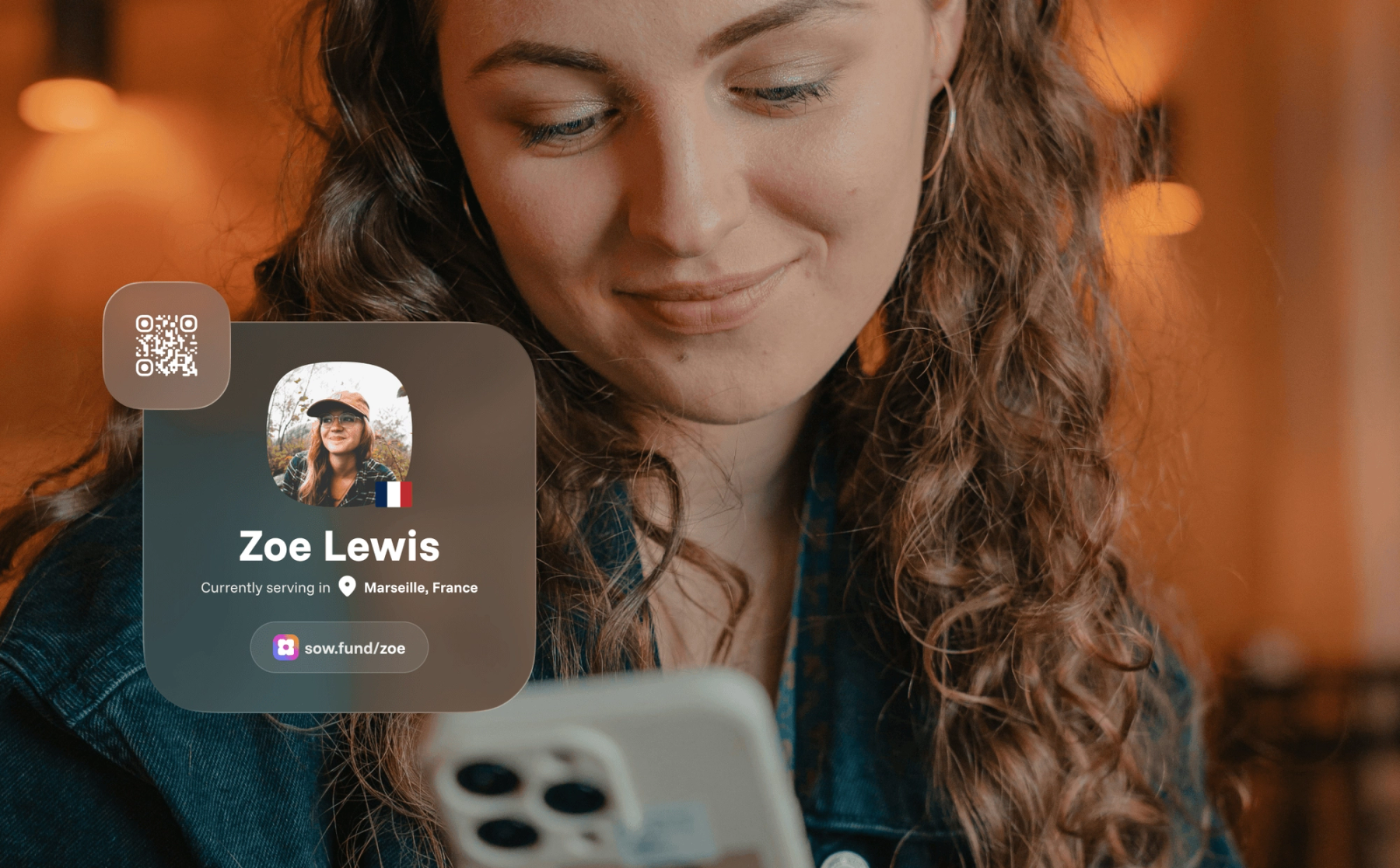
Your page is accessible at your custom short link — sow.fund/yourname — which is created automatically when you're approved. You can share this link immediately, before you've written a single word on your profile.
Of course, a complete profile converts far better than an empty one. So take a few minutes to fill in the key fields:
- Profile photo — use a clear, friendly headshot or a photo from the field
- Display name — your name as supporters know you
- Where you're serving — the country or region of your ministry
- About me / My story — a short bio and your personal calling story; this is what turns a visitor into a donor
- Ministry focus — what kind of work you do
- Social links — connect your Instagram, YouTube, or personal website so people can follow your journey
None of these take long to write. Even a few sentences in your story section is enough to give first-time visitors a reason to give.
Step 4: Set Up Your Donation Preferences (1 minute)
Before you start sharing, take a minute to configure how giving works on your page:
- Default donation type — choose whether one-time or monthly giving is pre-selected when donors land on your page. For missionary support, monthly is almost always the right default.
- Recommended amounts — set suggested giving amounts for both one-time and recurring gifts. Suggestions nudge donors toward a specific number rather than leaving them to decide from scratch.
- Encourage recurring — when enabled, this feature gently suggests a smaller monthly gift to donors who try to give a larger one-time amount. It's one of the most effective tools for converting one-time givers into monthly supporters.
- Thank you message — add a personal note that donors see immediately after giving. A warm, specific thank-you goes a long way.
Step 5: Share Your Link
Your page is live. Now the most important step: get your link in front of people.
Your short link — sow.fund/yourname — fits easily in a text message, an email, a support letter, or an Instagram bio. You can also access a QR code directly from your profile page (click the three-dot menu and select QR Code) — ideal for church presentations, printed materials, or in-person conversations.
Want to Raise Money for a Specific Trip or Project?
Beyond your profile, Sowfund also lets you create fundraisers — standalone pages for a specific mission trip, outreach project, or ministry need. Fundraisers have their own goal, progress bar, end date, and custom URL. They appear on your profile and link back to it, so supporters can give to a specific cause or to your ongoing ministry — whichever fits them best.
To create one, go to your dashboard and select "Create fundraiser." Add your images, a description, your goal amount, and an end date. It takes about two minutes.
Your Donation Page Checklist
Before sharing your link, run through this quick list:
✅ Profile photo uploaded
✅ About me / My story written (even a short version)
✅ Where you're serving filled in
✅ Monthly giving set as the default
✅ Recommended donation amounts configured
✅ Thank you message added
✅ QR code downloaded for in-person use
Frequently Asked Questions
Is Sowfund really free for missionaries? Yes. Missionaries never pay anything out of pocket or enter card details. Sowfund sustains itself through a 5% service fee taken from donations — and about 85% of donors choose to cover that fee themselves during checkout.
Are donations tax-deductible? Yes, for US-based donors. Because Sowfund is a registered 501(c)(3), every donation is tax-deductible under US tax law. Donors receive an automatic receipt by email immediately after giving, plus a year-end tax statement.
Can I use Sowfund if I'm serving overseas? Yes. Sowfund is available to missionaries from a range of countries (see sowfund.org/supported-countries). US-based donors can support you regardless of where you're serving and still receive a tax deduction.
How is Sowfund different from GoFundMe? The short answer: GoFundMe wasn't built for missionaries. Donations aren't tax-deductible, there's no recurring giving designed for long-term support, and the platform has no faith-based context. For a full comparison, see GoFundMe vs Sowfund.
Get Started Today — It's Free
There's no reason to wait. Your donation page can be live within 72 hours — and once it is, every conversation you have about your calling has a clear, professional next step.
No setup fees. No subscription. Just a donation page built for the work you're called to do.